
Mobile development
A mobile app that holds up in the field.
A mobile application only makes sense if it works where it is used: in a warehouse with no signal, on a site with gloves on, in a van between two jobs. We build for those conditions — and we also say when a native app is not the right answer.
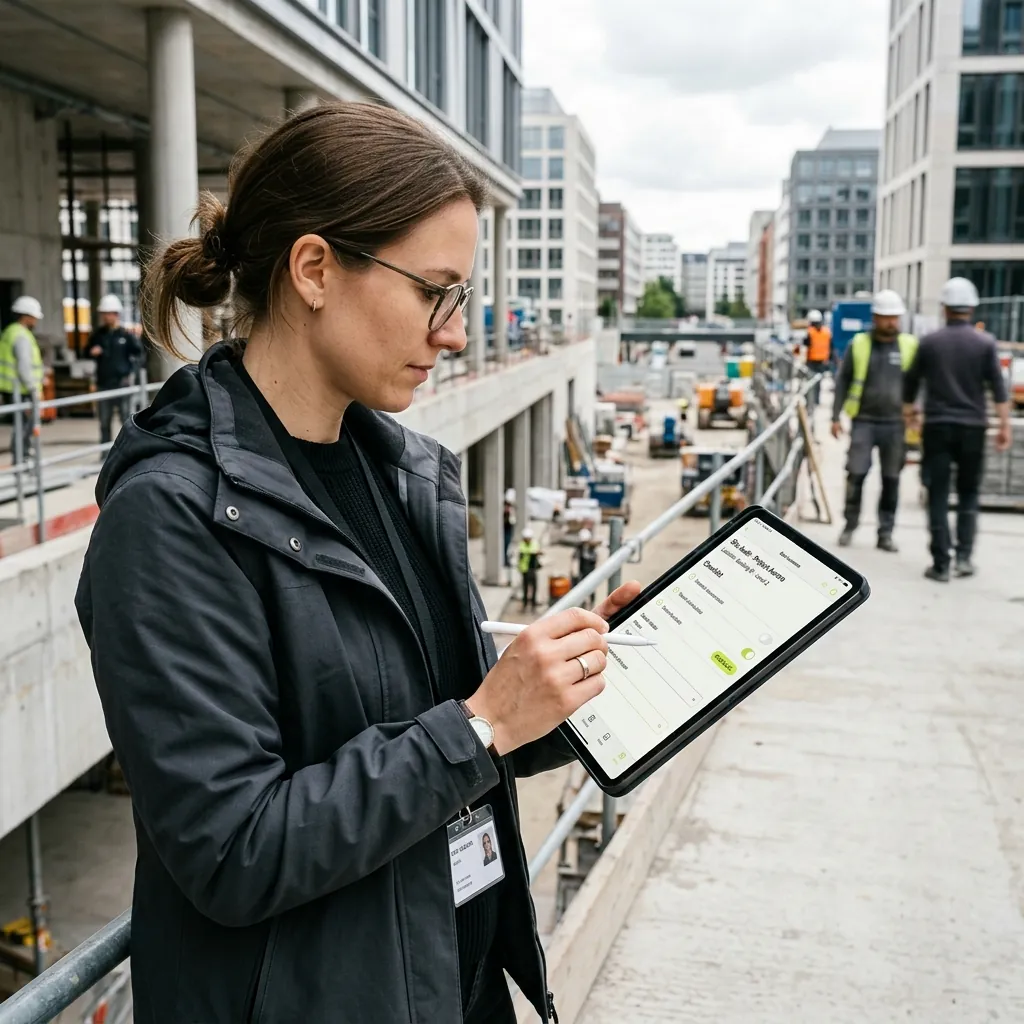
When a mobile app makes sense
Mobile is justified by usage, not by the wish to be present on a store.
Your field teams write on paper, then someone re-types it at the office.
Your technicians need information in places with no reliable connection.
You have to capture photos, signatures or readings with a timestamped trace.
You rely on phone-specific capabilities: code scanning, NFC, camera, location.
Your users have to be notified immediately, not at their next login.
An existing app works badly offline, drains the battery, or is no longer maintained.
What we build
The visible app is only part of the work. What makes it reliable usually sits behind it.
Field applications
- Offline capture with synchronisation on reconnection
- Photos, signatures and timestamped readings
- Barcode, QR and NFC tag scanning
- Interfaces usable with gloves, outdoors, one-handed
- Route and successive job management
User-facing applications
- Client portals and personal accounts
- Push notifications, targeted and limited to what is useful
- Biometric authentication and session handling
- Publication and monitoring on the App Store and Google Play
The platform behind it
- A mobile-specific API, designed for slow connections
- Synchronisation and data conflict handling
- Installed-version management and forced updates
- Error and crash monitoring in production
Where a field app actually sits
The app is one link in a chain. What decides its reliability is what it does when the signal drops and how it connects to your systems.
The field
Warehouse, site, van, a job at a client’s premises. Unreliable signal, hands busy, no time to spare.
Mobile application
Works locally first, then synchronises. The user can always see whether their work has been sent.
Possible capabilities
- Offline
- Synchronisation
- Photo & scan
- Location
- Notifications
Backend & API
Resolves conflicts, applies the rules, keeps the history.
Existing systems
ERP, scheduling, invoicing: the data stays where it already lives.
None of these capabilities is automatic. Each one adds development and maintenance, and is decided on observed usage.
Native app, PWA or responsive web?
All three are valid answers. The choice depends on what the application genuinely needs.
- Native application
- Necessary when you need the hardware: genuine offline operation, NFC, Bluetooth, sensors, reliable notifications, rendering smoothness. It is also the option that demands the most upkeep: two platforms, two publication processes, OS versions that change every year.
- PWA
- An installable web application that works offline to a degree and updates without going through a store. A good compromise when hardware needs are limited and the user population is known.
- Responsive web
- Often enough when usage is occasional, connected, and there is nothing to install. The cheapest to maintain and the fastest to evolve.
If responsive web answers your need, we will say so — even though it shrinks the project.
How a mobile project runs
The field decides. We test early, in real conditions of use.
- 01
Observe real usage
Where, when and how the app will be used: signal, daylight, gloves, session length, interruptions.
- 02
Choose the right form
Native, PWA or web: the decision is made on usage criteria, and it is documented.
- 03
Build and test on device
Testing happens on real phones. Degraded conditions are part of the test cases.
- 04
Publish
Store listings, compliance with store rules, developer accounts and the first review rounds.
- 05
Monitor in production
Crashes, installed versions, real adoption. An app that is not monitored degrades silently.
The technical base
A shared codebase where the need allows it, native where it does not.
Cross-platform development
iOS and Android from one codebase, for business needs that do not lean heavily on hardware.
Offline synchronisation
Local storage, queueing and conflict resolution on reconnection.
Mobile APIs
Services designed for slow, intermittent and sometimes metered connections.
Distribution and monitoring
Store publication, internal distribution, crash and installed-version monitoring.
How we work
A mobile app needs follow-up after launch: operating systems evolve, store rules change, devices get replaced.
Related use cases
Automate a business process
The same information is entered several times, approvals happen by email, and nobody can say where a file currently stands.
Connect systems that don’t talk to each other
Your ERP, your CRM and your business tools each hold part of the truth, with no reliable exchange between them.
Modernise business software
The application still works but is becoming expensive to maintain, hard to change and dependent on a handful of people.
Frequently asked questions
Do we need separate iOS and Android development?
Not necessarily. Cross-platform development covers the large majority of business needs from a single codebase. Separate native work is justified when the app leans heavily on hardware or when rendering smoothness is critical. The choice is made at scoping, along with its effect on maintenance cost.
What does maintaining an app cost?
It is not optional. iOS and Android ship major versions every year, stores change their rules, and an app that is not updated eventually stops installing or gets removed. That recurring cost has to be planned from the start of the project, not discovered a year after launch.
How long does store publication take?
Technical review usually takes days, but timelines vary and a rejection is always possible, particularly on the App Store. We prepare the compliance material up front and handle the exchanges with the platforms. We do not promise a guaranteed launch date: it does not depend on us.
Can you take over an existing app?
Often, yes. We first check the state of the code, outdated dependencies, and whether it can still be rebuilt and republished. That last point is the usual blocker: an app you can no longer ship a new version of has to be rebuilt, however good the code is.
Who holds the developer accounts?
Apple and Google accounts must be in your name, not ours. We help you create and configure them, but you remain the owner of your published apps and their listings.
Let’s talk about your field usage
Tell us where and how the app will be used. That is what determines the right form to give it.